
When we talk about digital accessibility, we often think about whether a website works with a screen reader, whether images have alternative text or whether someone can use a keyboard instead of a mouse.
These things are important, but linguistics and digital accessibility also have an important connection. The words we use, the way we explain things and the assumptions we make about what people understand can all affect whether someone can access and use digital information. A website, document, email or online form can be technically accessible and still be difficult to understand. The words we choose matter.

The Web Content Accessibility Guidelines include “Understandable” as one of the four principles of accessibility.
It is not enough for someone to be able to see or hear the words on a screen. They need to understand what those words mean and what they are expected to do.
Take an instruction such as:
“Please action the attached document as soon as possible.”
What does “as soon as possible” mean?
Today? Tomorrow? Before the end of the week?
Another example might be:
“Give us a call when you get a chance and we will sort it out.”
When is “when you get a chance”? What does “sort it out” actually mean?
The person writing the message may think it is perfectly clear. The person receiving it may not.
This is where linguistics and digital accessibility come together.

Language is much more than knowing the definition of individual words. We also need to understand context, culture, tone and how words are being used.
This can be particularly difficult when someone is learning English as a second language or has moved to a different country.
I learnt this myself when I first started university.
I had not really touched a computer before. I remember reading the instructions for the first hands-on computer session and seeing the words “boot the computer”.
I had no idea what that meant.
I remember the lecturer turning to me and saying, “Just turn it on.”
That was when I realised that knowing the English words was not always enough. I understood what each word meant on its own, but I did not understand the technical language being used.
“Boot the computer” meant “turn the computer on”.
For someone who already knew computers, the instruction probably seemed obvious. For me, it was another language to learn.
That experience has stayed with me because it shows how easily we can assume that everyone understands the language we use.
Sometimes the barrier is not the technology itself. It is the words we use to explain the technology.
This is something I explore further in What Language Does Your Business Actually Speak, where I look at the different types of language businesses use and how that can affect access to information.
English is spoken in many countries, but that does not mean everyone uses it in the same way.
Australian English has plenty of expressions that can be confusing if you have not grown up hearing them.
We might say “give us a shout”, “piece of cake”, “hang on” or “bring your A-game”.
Some expressions make even less sense when taken literally. “Raining cats and dogs” does not mean animals are falling from the sky, and being “under the weather” does not mean someone is standing underneath a cloud.
I remember seeing this with my son when he was younger.
Someone might tell him to “pull your socks up”.
He took it literally and understood that they wanted him to physically pull his socks higher.
The expression actually means that someone needs to improve their effort, behaviour or performance.
It is a simple example, but it shows that language depends on more than knowing the words.

Imagine someone who has moved to Australia.
They might speak their first language at home, use English every day, learn Australian expressions and then have to understand the specialised language used by a particular industry.
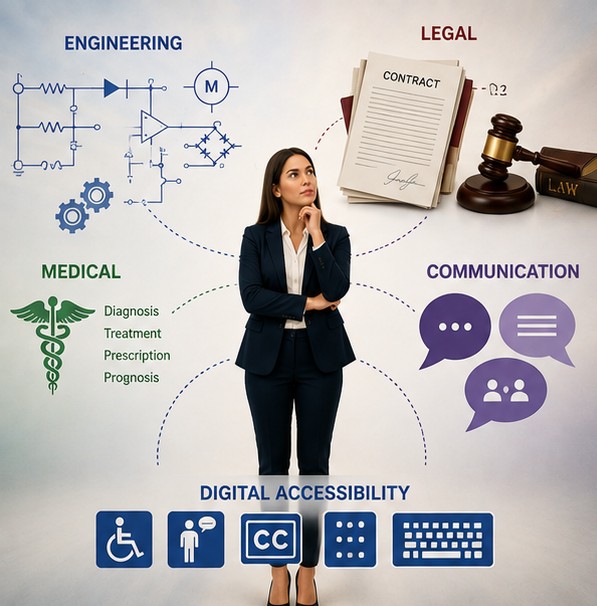
They may need to navigate the language of banking, health care, government services, law, employment, education, housing or technology.
Each area has its own terminology.
Being fluent in English does not automatically mean understanding legal terminology, medical terminology or technical language.
I also remember this from a trip to France.
We were trying to find our way to Abbeville and asked for directions. We pronounced the name the way we would naturally pronounce it in Australia, including the second “e”. We were essentially saying “Abbeyville”.
The French pronunciation sounded much more like “Abbville”.
We knew the name. We could read it. We knew where we wanted to go.
But we were saying it differently.
That small experience made it clear to me that knowing a word does not necessarily mean knowing how that word is used or pronounced in another country.
Catharina Williams-van Klinken brings another perspective to this. She talks about being a linguist, living in another country and then experiencing what it was like to go blind. Her story shows that communication and access to information can become much more complicated when the way we receive information changes.
You can hear Catharina talk about her experience here:
Watch Catharina Williams-van Klinken talk about living in another country.
The same thing can happen online. Someone may understand the written words but not understand the cultural meaning behind them.

Acronyms, also known as abbreviations, are another common problem.
Organisations often use acronyms because they are familiar to their staff. For everyone else, they can make information much harder to understand.
Technology has created a whole vocabulary of its own too.
We talk about logging in, downloading, uploading, syncing, backing up, browsers, cookies, accounts and settings.
For someone who has used computers for years, these words can seem completely ordinary. For someone new to technology, they may not be.
The solution is simple.
Explain unfamiliar terms.
Instead of:
“Boot your computer and navigate to the portal.”
Try:
“Turn on your computer. Open your web browser and go to the online portal.”
It takes a few more words, but it removes some of the guesswork.
Plain language is sometimes treated as a writing preference.
I see it as an accessibility tool.
Plain language does not mean removing important information or writing in a childish way. It means communicating clearly, explaining unfamiliar terms and avoiding unnecessary jargon.
Clear communication is also about being concise. Clarity and Conciseness in Digital Communication looks at why the way information is structured and written can make such a difference to the person trying to use it.
It also means thinking about the person who will actually use the information.
A sentence that makes perfect sense to the person who wrote it may not make sense to the person receiving it.
This is particularly important when information involves money, health, legal rights, employment, government services or personal information.

There is a simple way to test written information.
Listen to it.
This can be particularly useful for children doing homework. Windows has Narrator, and Mac computers have built-in tools that can read text aloud and highlight words as they are spoken.
Try it with a homework assignment.
Does the sentence still make sense when you hear it? Is it obvious what the student needs to do? Are there instructions that rely on the student already knowing what the teacher means?
Sometimes hearing the words spoken aloud reveals a problem that is easy to miss when reading silently.
The same test can be used with websites, forms, emails, policies and other digital information.

Text-to-speech tools such as screen readers can read words aloud, but they cannot make confusing language clearer.
If a sentence is complicated, the tool will still read the complicated sentence.
If an instruction is vague, it cannot explain what the organisation actually means.
If an expression is culturally specific, it cannot automatically tell the person what the writer intended.
The technology can provide access to the words.
The writer still needs to make sure the words communicate the right meaning.

Digital accessibility is about more than getting information to someone.
It is about whether they can understand and use it.
Someone can be able to see the words. Someone can be able to hear them. Someone can have them read aloud by a text-to-speech tool. Someone can even be fluent in English.
And they can still struggle to understand the message.
Good digital accessibility means thinking about language, culture, technical terminology, acronyms, instructions and the assumptions we make about the person reading the information.
Because information that people can access but cannot understand is still a digital barrier.
The words we choose matter.